
This guide will walk you through how to enter a Fixed Physical Purchase or Sale into the system.
From the top left side of the page click “+ Capture” then select Physical Purchase or Physical Sale to show the entry form.

Fill in all the required fields denoted with “*” and generate the obligation periods for the trade. If you need to make changes you can click “Update Periods” to force the system to regenerate the periods.
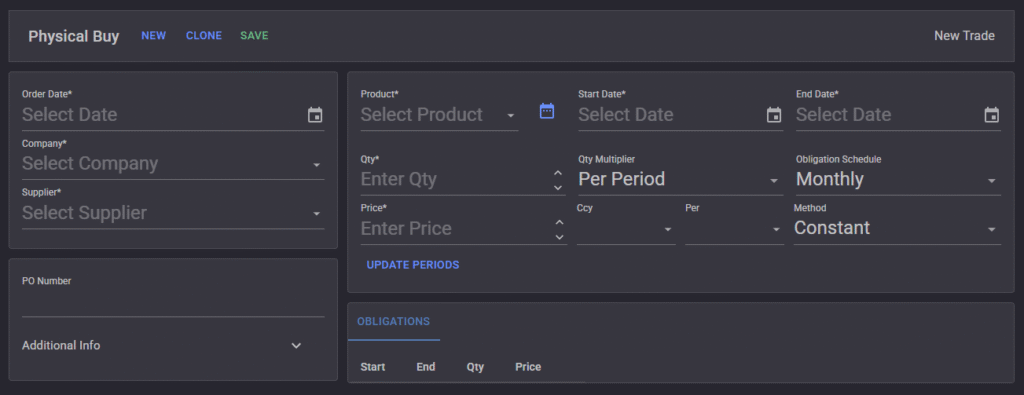
After you complete the form and are satisfied with the results.
Click “Save”